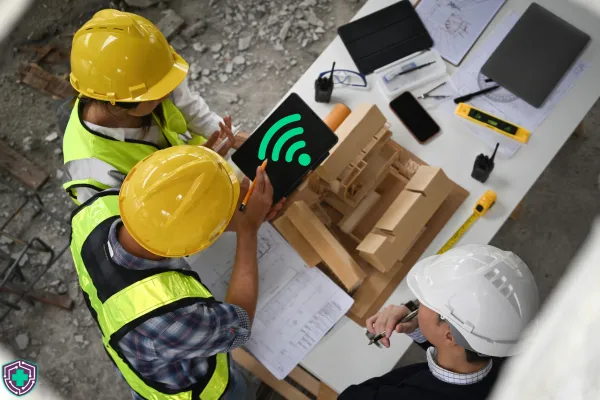
How Do I Get Reliable Internet on a Construction Job Site?
A crew is standing around because a drawing won't open isn't an IT problem. It's payroll you're already paying for in margins lost for work you're not getting.
Six guys at a loaded rate for twenty minutes waiting on a set to load on a laptop. Do that twice a day for a month and you've spent more on waiting than the connection itself would have cost you.
That's the invisible expense line you pay for on every job cost report.
A hotspot in the trailer window isn't really a plan.
Too many sites I walk onto share the same story. Somebody's phone gets sacrificed to the team or a basic cell hotspot sits on the windowsill because that's the one spot with two bars.
The crew doesn't mind because they figure that's just how it is. And it works in April when there are maybe four people on site. But it stops working in July when there are thirty, with half of them uploading photos or updating RFI's. So then the bandaid becomes another poorly optimized hotspot or personal phones.
Here's the thing about this setup that breaks nearly every single time.
It's almost never a download problem.
Every run-of-the-mill consumer or basic small business hotspot built their connectivity backwards for how you work on the job site. Carriers prioritize download speeds for their connections because that's what most people do for streaming social media or watching videos. Your site does the opposite.
Photos go up. Daily reports go up. Model files syncing to the cloud. Camera footage streaming from your site to the office. Punch list items with six pictures attached goes up, not down.
Did you know the FCC now defines fixed broadband as 100Mbps down and 20Mbps up, which was raised from 25Mbps/3Mbps in March 2024? That's the new floor internet speed for a house. Your trailer is doing more uploading than a house ever will.
But advertised upload speed isn't the only factor. Most hotspots may advertise a speed of 20-40Mbps, but that is not sustained. That's the speed they give you at 6 a.m. when you are sending an email with nobody on site. But when you have the whole crew connected, that boost doesn't last forever.
Most hotspots deliver a fraction of that speed once more than a few devices are on them. That's why the app feels fine when the super checks it in the truck and then it becomes useless from the trailer.
What's hurting you is the ceiling, not the pipe.
A carrier hotspot is built for only a handful of people an a sprinkle of devices. Put ten phones, 4 tablets, a security camera system, and a network printer on it and the hotspot runs out of room to track connections long before it runs out of bandwidth.
Symptoms look near identical to slow internet. Everything drags to a crawl, one app times out, somebody reboots the puck, it's fine for 10 minutes. Rinse and repeat.
The 4 things you can do that holds up on a real site.
Deciding which one you choose depends on where your job is and how long you're there. Western PA has a mix, and I've seen all four work.
1. Fiber or Copper directly to the trailer.
This is by far the best connection you'll get if the address can be served by the local ISP and the timeline justifies the install. Order it ahead of your trailer being delivered, because the utility lead time will be longer than you might expect and nobody ever calls early enough. Don's Tech Rescue Exclusive - Don't want to deal with planning new service for your property? I know a guy. Reach out and I can get you connected with someone who's entire job is getting last-mile properties connected to internet. \
2. Cellular router with an external antenna.
Don't mistake this hardware for a hotspot. This is real hardware designed to handle the throughput of your entire crew, with a proper antenna mounted outside the trailer, away from any interference. This is the workhorse for most sites, and it can move to the next job with you.
3. Satellite.
This is the answer for rural sites and early site work with no real infrastructure nearby. Upload is weaker than cellular in a decent coverage area and favors fair weather, so I recommend this only if no other option is available rather than your first choice.
4. Point-to-point wireless.
If you already have a connection at one building or one trailer, you can use this technology to beam that connection across the site instead of buying a second circuit. Useful for larger sites, phased work, and anywhere you've got a second trailer for hundred feet from the first one.
The setup that survives the whole job is usually two of these, with the cheaper one as backup. When the primary drops, the router can automatically connect to the secondary and nobody in the field notices. That's the difference between a bad hour and a bad day.
The Wi-Fi inside the trailer has it's own job.
A good connection into a trailer with bad wifi can still make it feel like bad internet.
Metal walls, a router shoved under a desk behind a filing cabinet, with only the built in access point or one that's trying to cover the trailer plus the gang box plus the lay-down yard. That's not a coverage plan.
Access points get mounted high and out in the open. Coverage gets designed for where your crew actually stand and work, which includes outside the trailer. And the site network gets locked down, because an open network on a job site is a network every sub, every delivery driver, and everybody in the parking lot is on whether you want them on or not.
Your project files should not be one hop away from a truck idling at the gate.
Do this before your next mobilization.
Ask your PM three questions.
1. How many devices are on the site network at peak, not on day one?
2. What's the longest the site can run without a connection before work actually stops?
3. If the connection died right now, what's the backup?
The third question is crucial. if the answer is "we'll figure it out," you already know what that costs.
If you're looking for more robust job site connectivity that works as hard as you do, reach out. I'll walk your site, learn how you work, and tell you if what you've got is fine or if you need a better connection.